
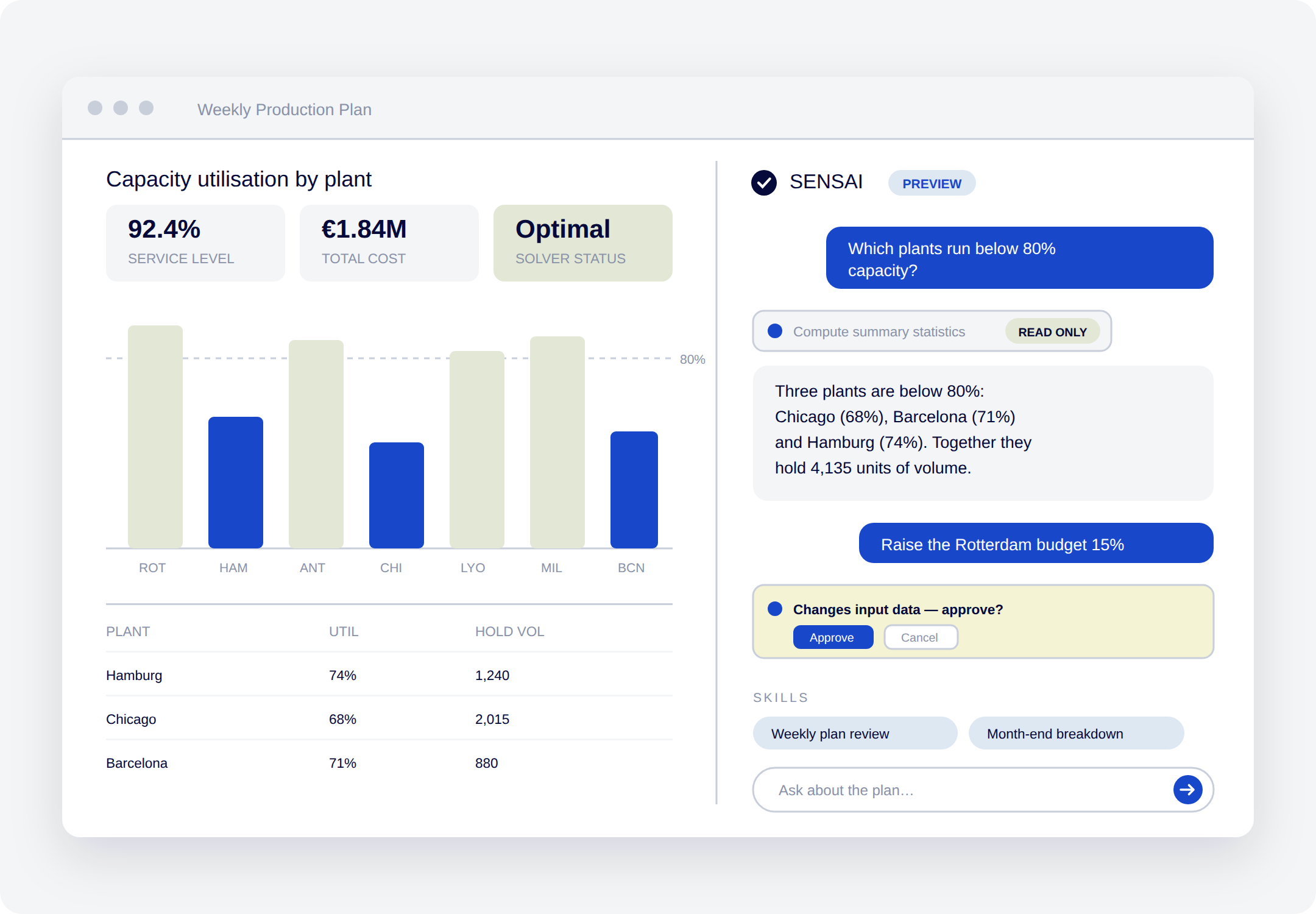
Optimization, in plain language
SENSAI Apps is an AI assistant built into your AIMMS planning application. Ask about data and results, change inputs, run the model, and read the outcome in plain language.
The optimization model produces the answer, so you can defend it.
SENSAI Apps is in preview with a selected group of customers.
Trusted by enterprises where the stakes are real


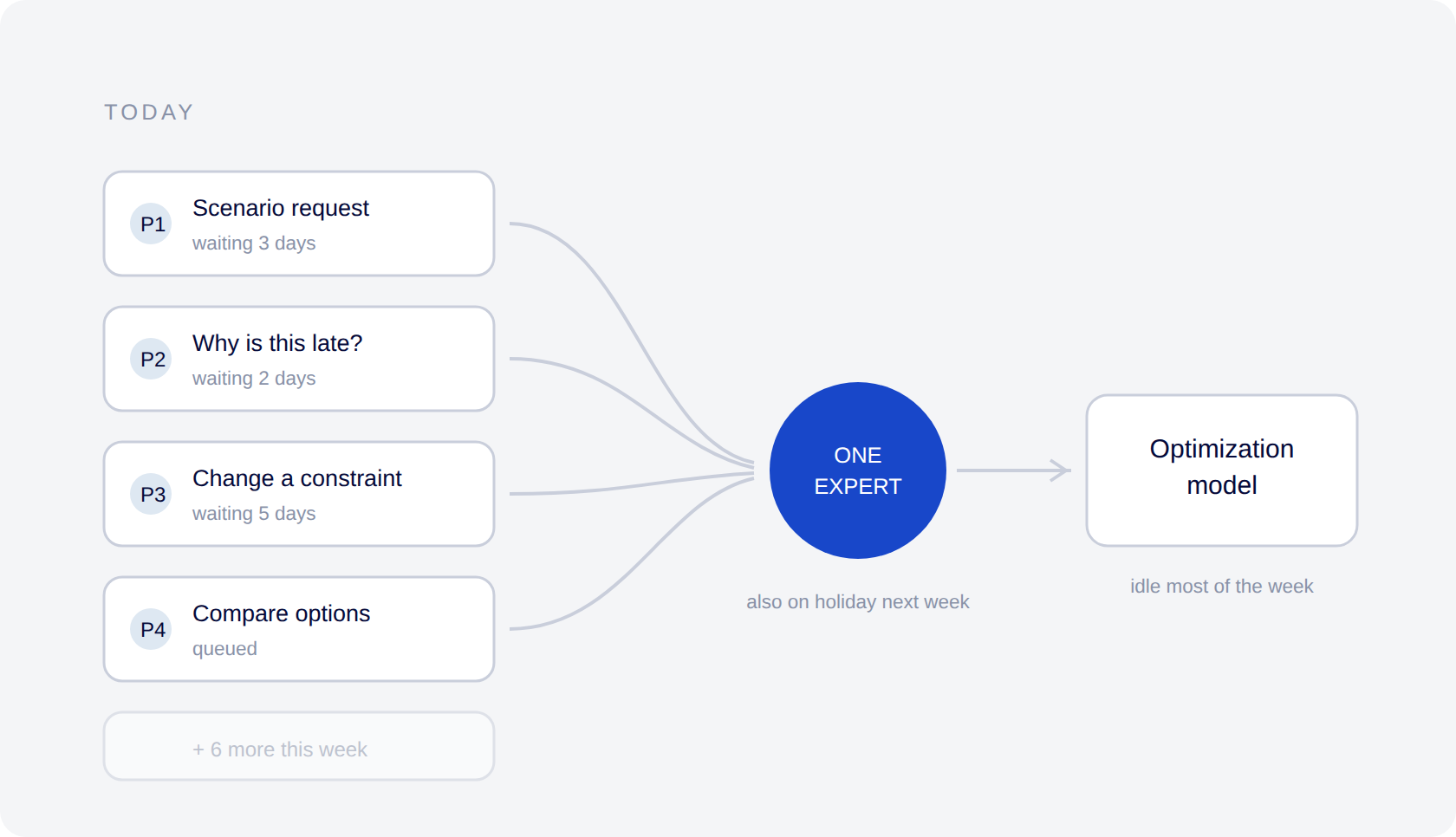
Your results are locked behind a few experts.
Only a few experts can run the model or explain what it produces. Everyone else waits. Even a finished answer is hard to trust without a clear trace of how it got there.
- A small circle of experts is the only way to run the model.
- Planners wait to explore scenarios or ask follow-up questions.
- Decisions slow down whenever an expert is unavailable.
- An answer without a visible trace is hard to trust, even when it’s right.
The power of mathematical optimization, delivered through an AI interface
What planners can do with the assistant
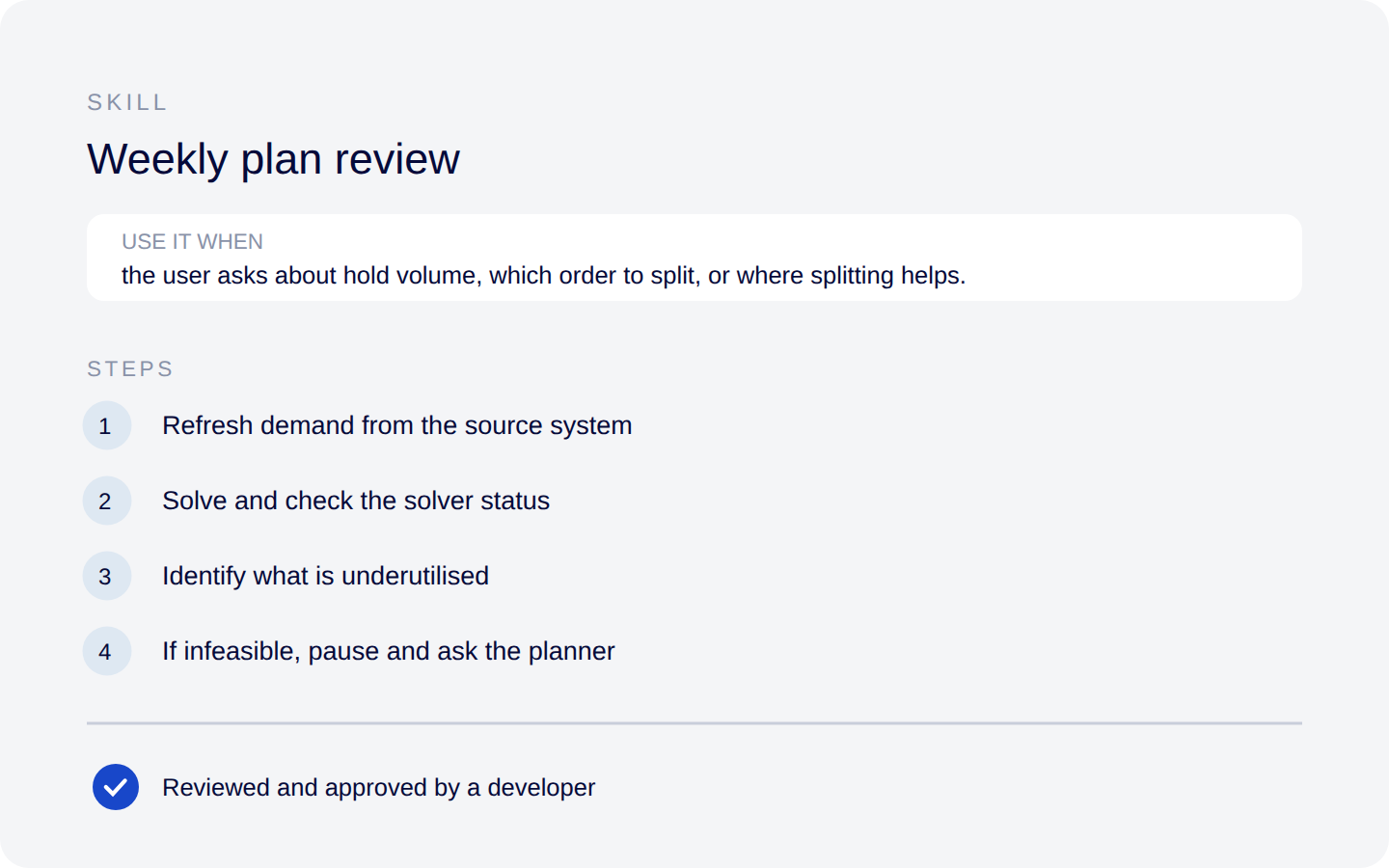
Build it once. Use it again.
A skill is a set of plain-language instructions for recurring work — how to run the weekly plan, how to build the month-end breakdown. Once written, the same request gives the same kind of result next week, or for a different planner.
Your team builds skills by talking to the assistant, and keeps them. A developer reviews and approves each skill before it goes live, so the routines your team relies on stay under your control.
Answers you can defend
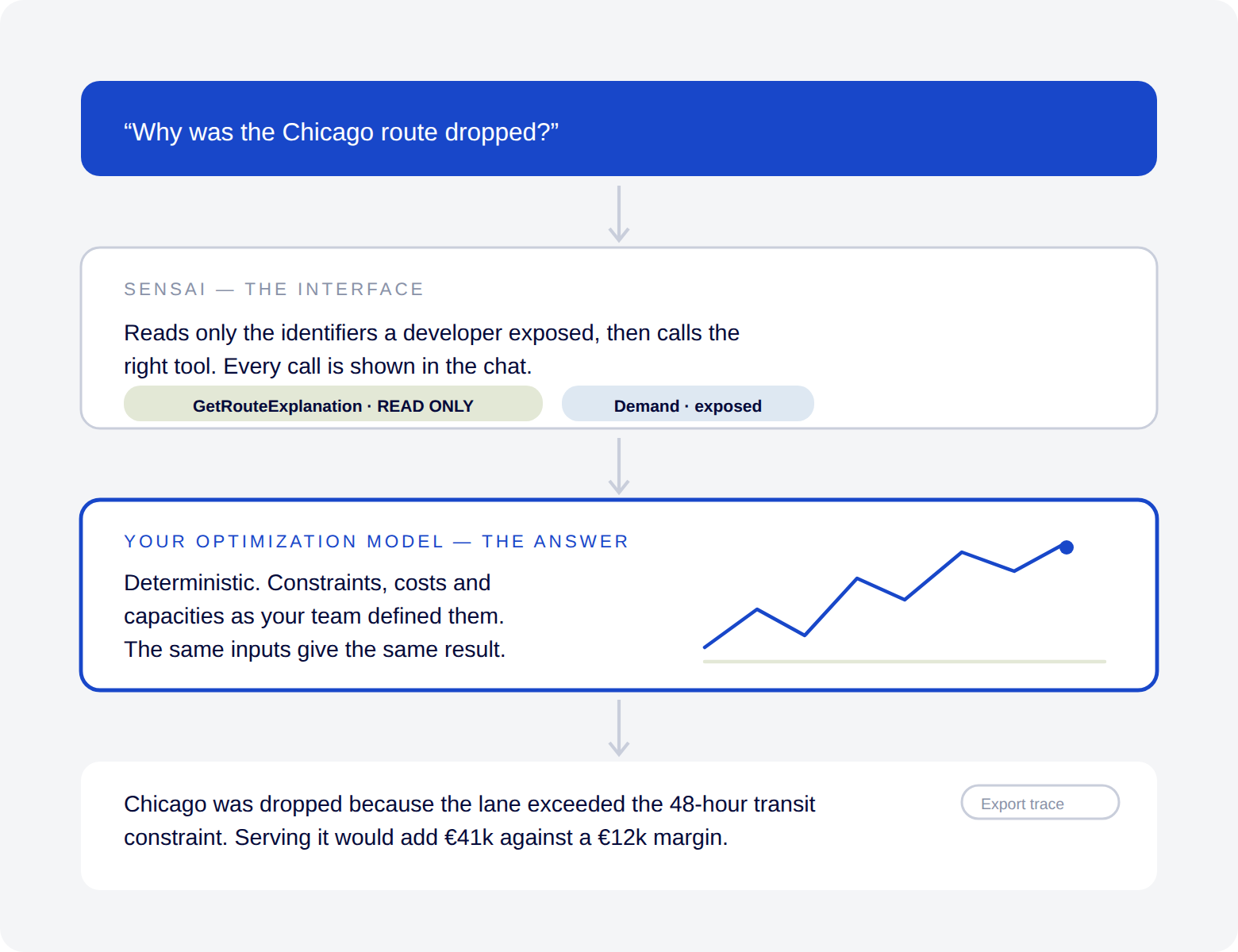
The assistant does not estimate the answer. It calls your optimization model and reports what the model produced. That distinction is what makes the output usable in a decision you have to justify.
- Permissions are respected. The assistant sees and does only what the signed-in user is already allowed to.
- Actions are traceable. Every action appears in the chat, and the full record can be exported.
- Access is opt-in. Nothing in your model is available unless a developer opts it in, identifier by identifier.
- Read and write are separated. A developer marks each action read-only or plan-changing, and the platform enforces it, asking for approval when needed.
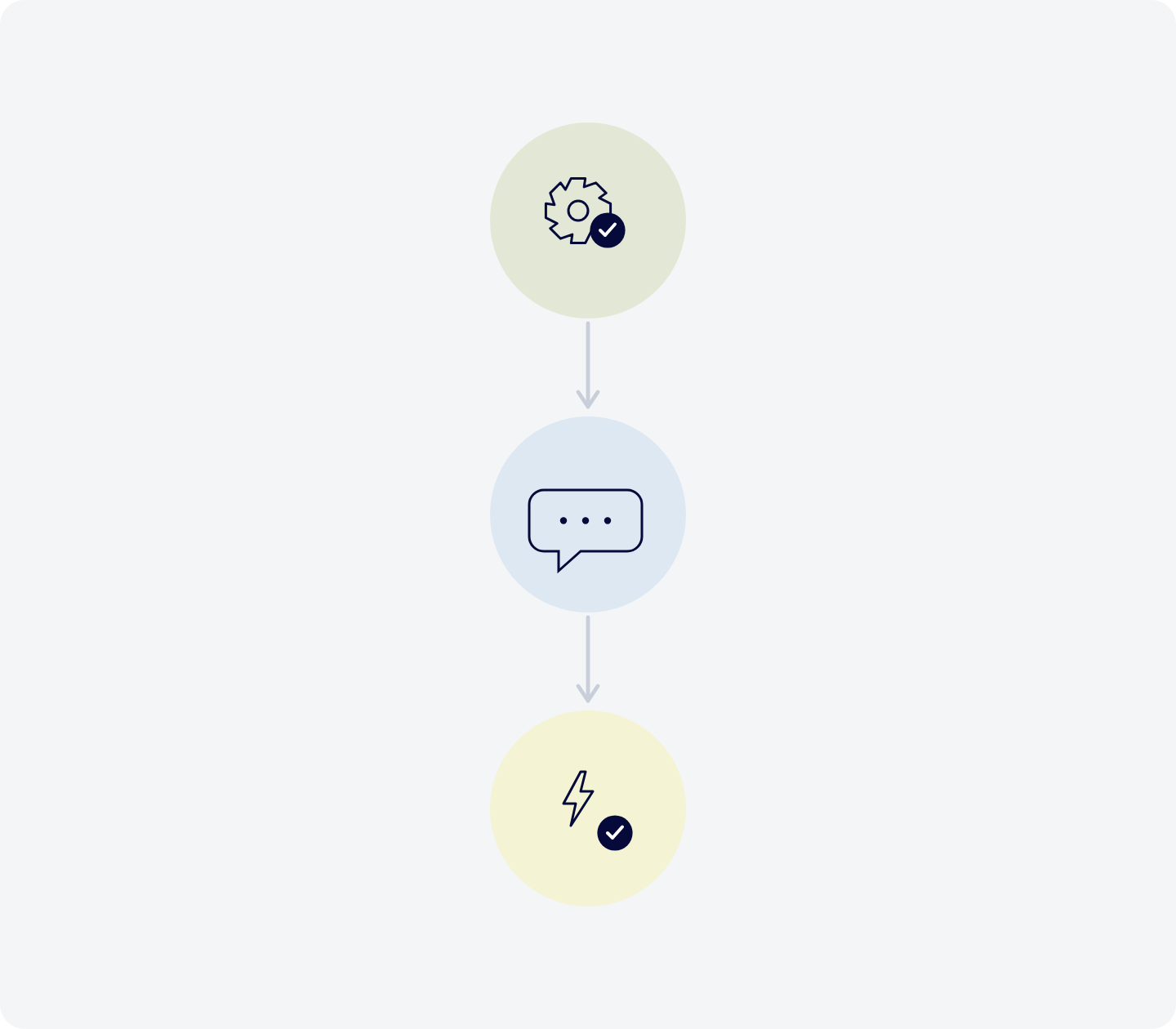
Three steps from model to assistant
- Annotate: A developer marks which parts of the model the assistant can read and which procedures it can run, working with the assistant itself and with support from AIMMS. Nothing is exposed by default, so you start with a small, useful surface rather than the whole model.
- Use by chat: Business users ask questions, change inputs, run the model, and get explanations, inside the application they already work in.
- Build skills: Recurring work becomes a reusable skill, so the same task runs the same way each time and across the team.
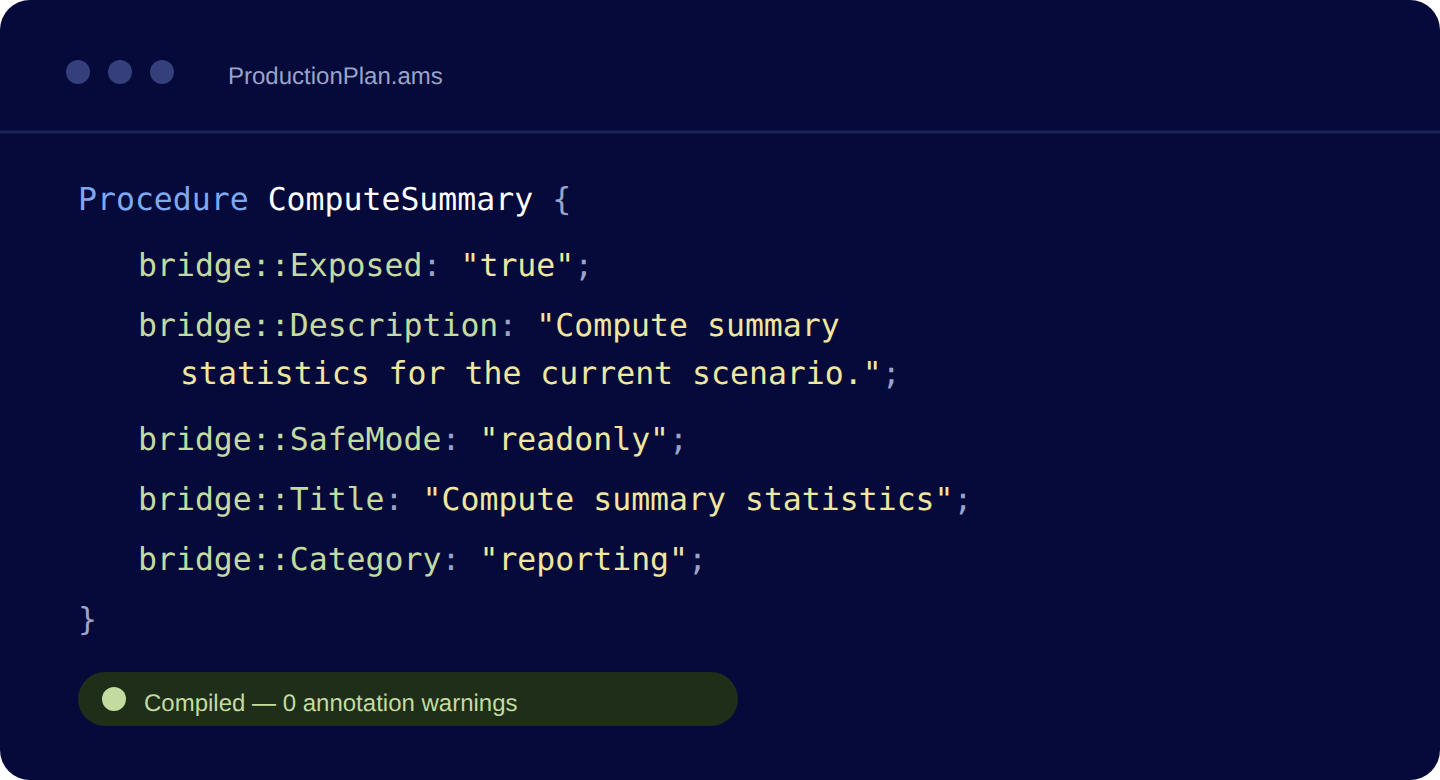
Small effort, real access.
Annotations are ordinary AIMMS model attributes, a line at a time, added to the identifiers you want available. One line tells the assistant what the app is, a few procedures are exposed with a one-line description each, and you add the data you want it to read.
The AIMMS engine validates the annotations when the model compiles, so problems surface during development rather than after deployment.
More of the team gets access, not just the experts
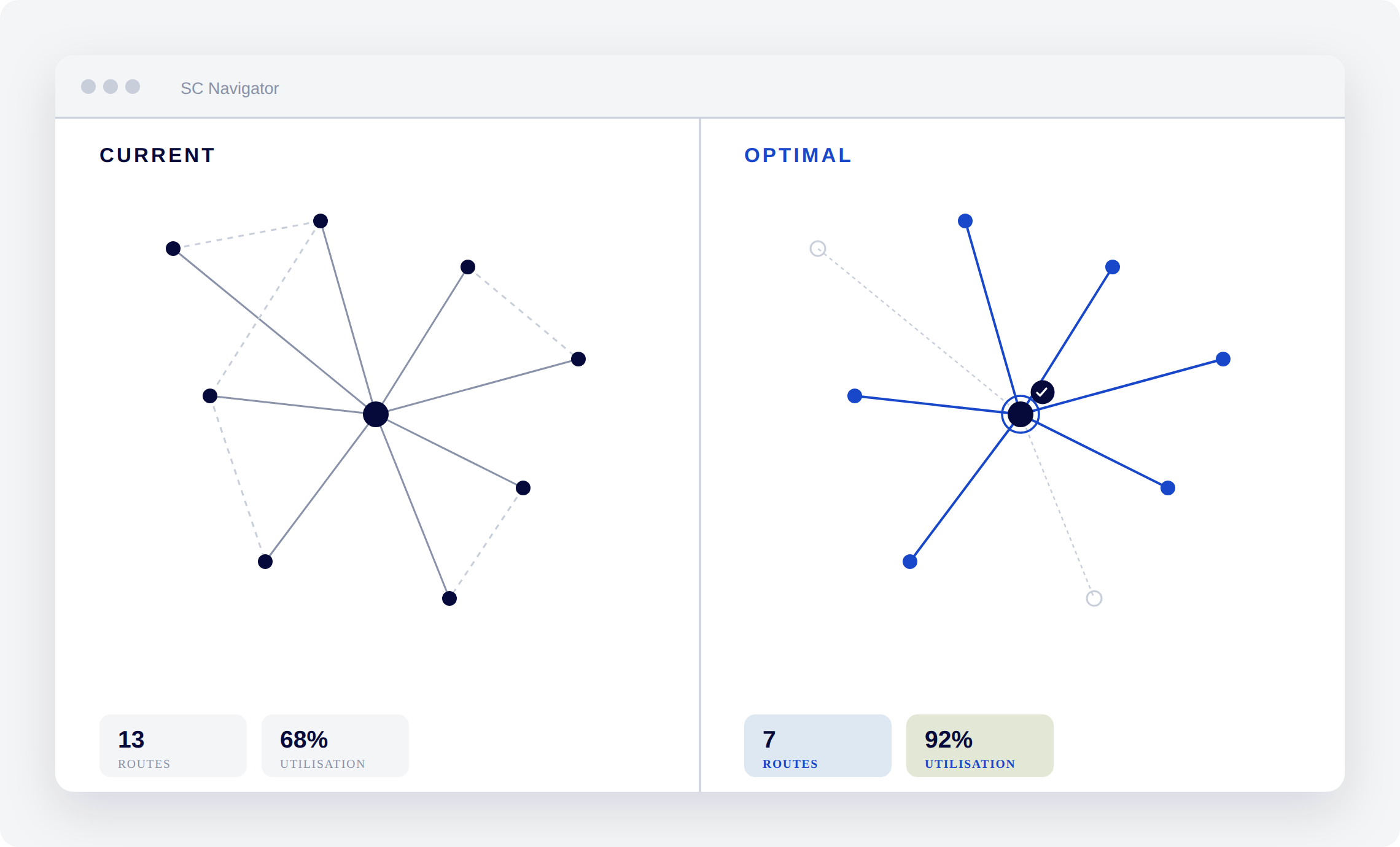
Start with one real use case
SENSAI Apps runs as a named Preview: one or two real use cases, an agreed scope, and AIMMS backing you with the platform and support. Your developer gets the model ready, your business users put it to work on real tasks, and you walk away with proof before you scale.
Frequently asked questions
SENSAI Apps is in Preview, running with a selected group of customers under agreed scope and Preview terms. It is stable within those limits. Talk to us about joining.
The answer comes from your optimization model, not from the assistant’s own estimate. The assistant provides the interface and calls the model, and every action it takes is visible in the chat and can be exported.
No. Nothing in your model is available to the assistant unless a developer explicitly opts it in, and the assistant only ever sees and does what the signed-in user is already permitted to.
A general assistant has no access to your model or your data, so it cannot run your optimization or produce an answer you can defend in a planning decision.
SENSAI Apps works inside an AIMMS application, so you need an existing application on a supported AIMMS version with the AI runtime enabled. If you are not running AIMMS yet, talk to us about the platform first and we will cover both.
Making a model ready means adding short annotations to the identifiers you want available — the procedures the assistant can run and the data it can read. You start with a small surface and extend it. AIMMS supports you through the first pass during a pilot.
See it working on a real model
We will show the assistant working inside a planning application, then talk through what a pilot on your model would look like.