

Blog Post

At AIMMS, we’re always listening to our customers, and in response to their feedback, we’re excited to introduce a new feature: Lead Time Offset.
This post is intended for supply chain modelers and analysts currently working on tactical network design studies, as well as those considering working on such projects.
If you’re using SC Navigator to plan over weekly or monthly time periods, especially for complex supply, production, and transportation scenarios where timing and precision matter, this update is for you.
Not familiar with SC Navigator? This enhancement is a part of the Tactical Planning module within SC Navigator and is designed to help you model your supply chain with more realistic timing when your lead times for supply, production, or transportation stretch beyond your model’s time buckets.
This means better alignment between planning and execution, and more accurate decision-making across your network.
When can Lead Time Offset help?
Imagine these common use cases that apply across various industries:
- A supplier requires a 2-month lead time to deliver a component
- An ocean transport lane takes 8 weeks to ship a product
- A production process, such as fermentation, takes 1 month to complete
Whether you’re optimizing container pooling, seasonal supply chains, or multi-stage production runs, SC Navigator can now automatically offset the availability of product from suppliers, production facilities, and transport lanes to a future period, instead of the current period, based on the provided offset.
How does it work?
In SC Navigator’s Input Template, a new attribute called “Period Offset” has been added to the following tabs:
- Transport Cost
- Supplier Product
- Production Routing
For example, when modeling Transport Period Offset, a value of 3 means a shipment initiated in Period N will arrive in Period N + 3. Capacity usage and costs are therefore also mapped accordingly across the different time periods.
In SC Navigator’s Results Pages, you will now see a new column called ‘Arrival Period’ in the Supplier and Transport pages.
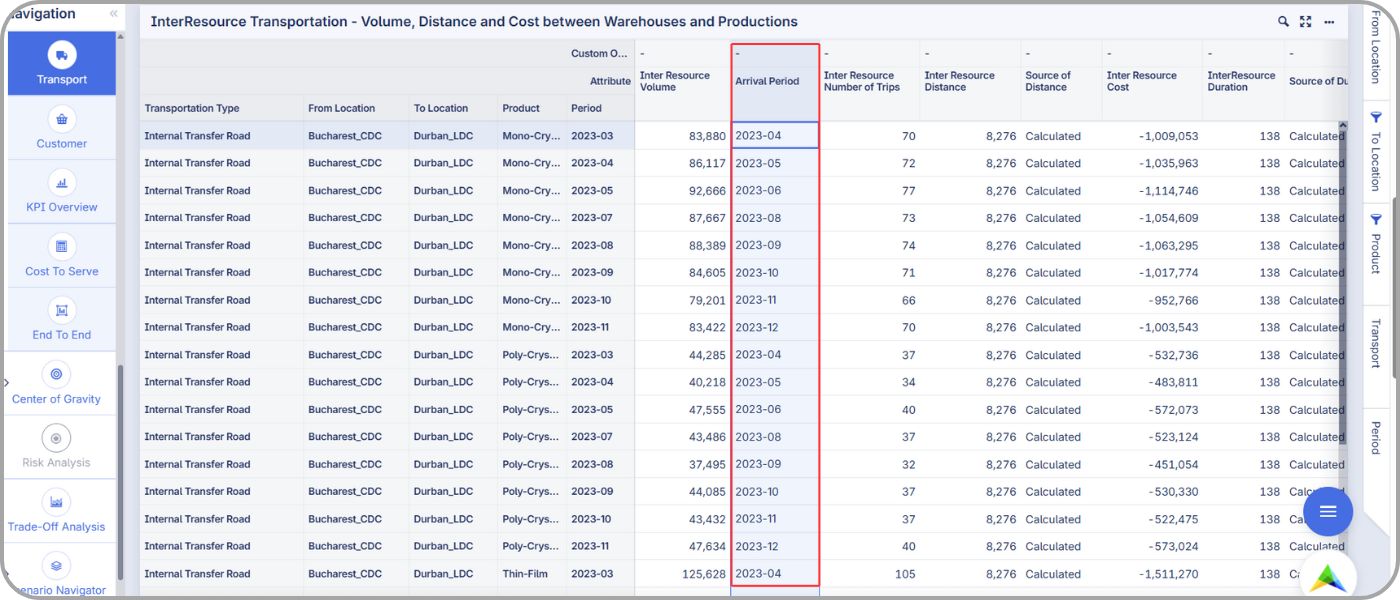
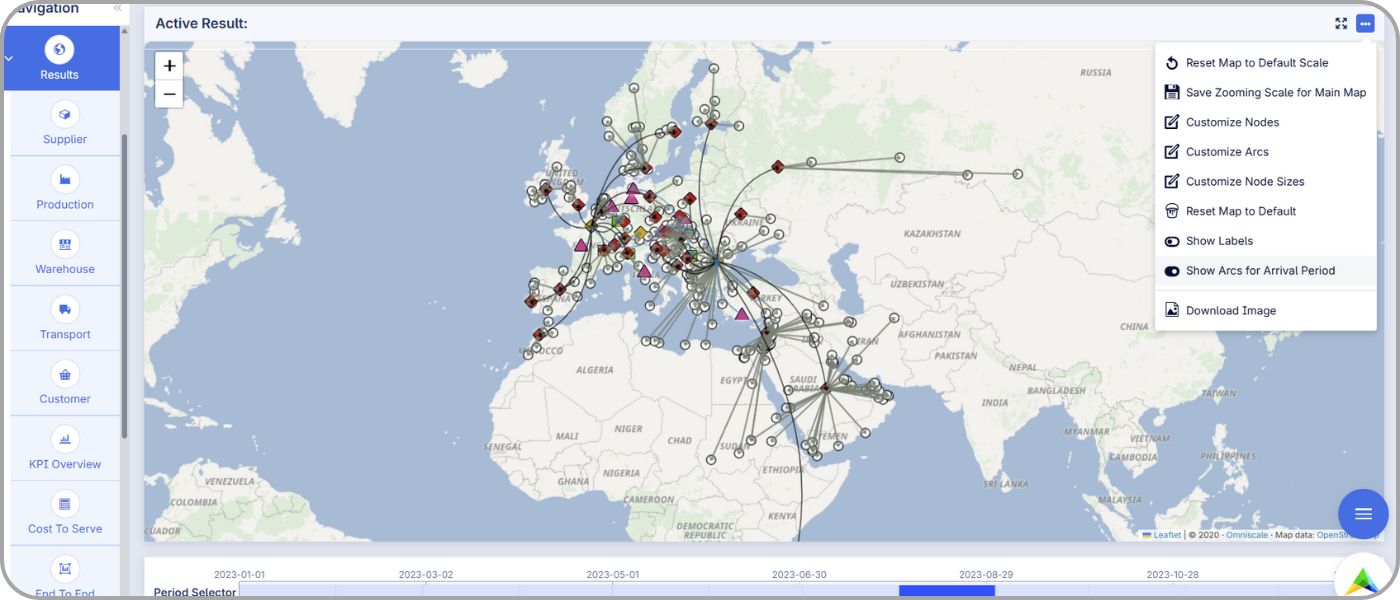
The Production page also reflects the offset in the ‘Input and Output Volumes’ columns. On the map, it is possible to show arcs for arrival periods to help visualize.
For more details, please refer to the user manual.
What does it mean?
By modeling period offsets, you’ll gain:
- More accurate plans for long lead time products and complex transport flows
- More feasible, realistic solutions that avoid overpromising on early-period demand
- Better cost and capacity allocation across the full planning horizon
- Smarter decision-making for tactical and rough-cut planning scenarios
This is a game-changer for companies manufacturing and distributing across various industries, such as chemicals, retail, food & beverages, pharmaceutical, and healthcare, who need to model reality, not just simplify it.
Ready to try?
Lead Time Offset is now available in the Tactical Planning module. Explore how this feature can elevate your supply chain modeling.
Bring more realistic timing into your tactical planning models and make better decisions for supply, production, and transportation flows.